
An assistant that writes with you, on the page
Describe what you want. It drafts a page, rewrites a paragraph, shortens a headline, or writes the description of a picture for people who cannot see it.
What it looks like
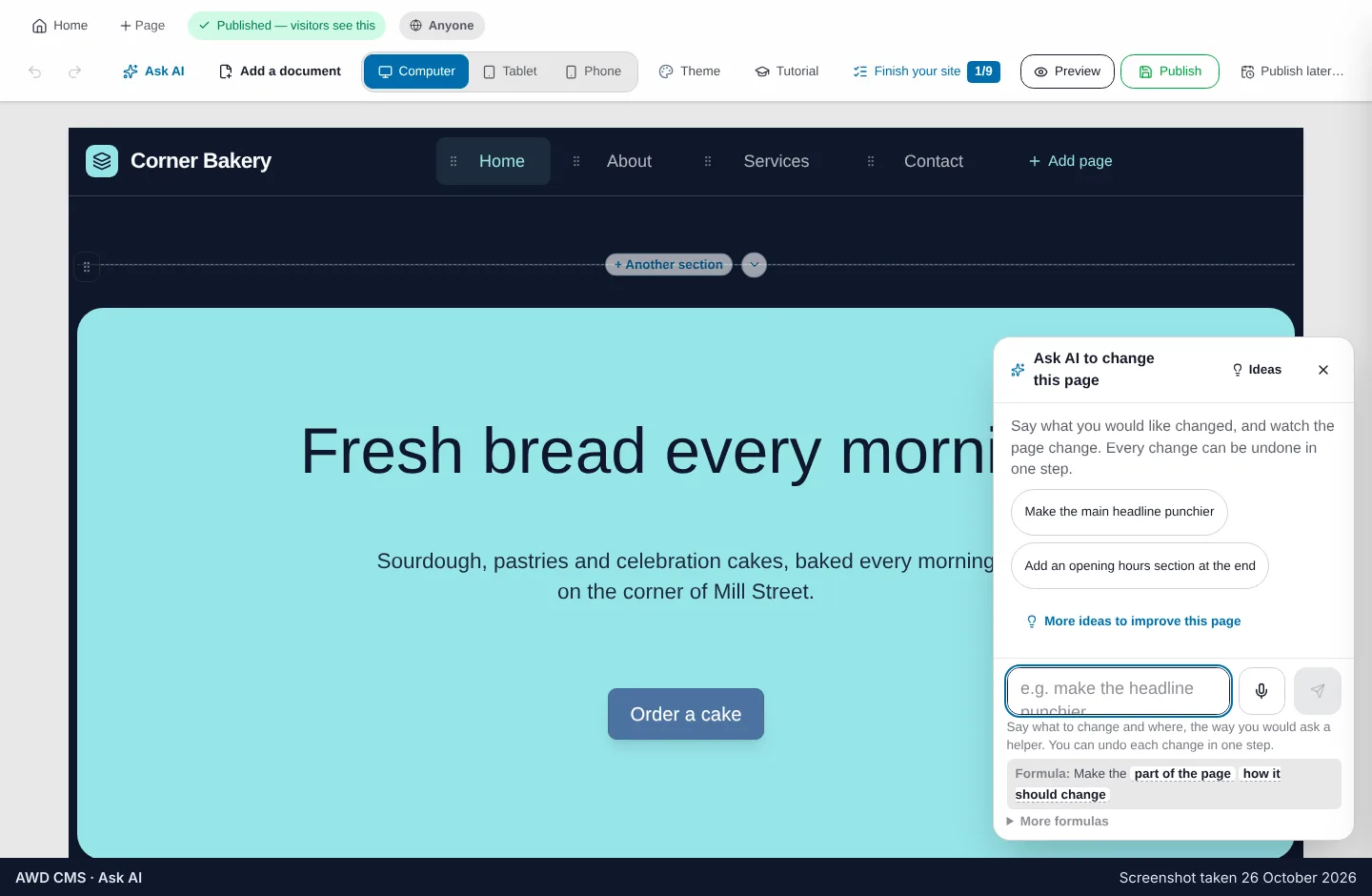
It sits beside the page you are working on, not in a separate chat window.
What you can ask for
It works on the page you are looking at, not in a separate chat window.
A page from a sentence
“A services page for a plumber who does emergency call-outs” becomes a page with the right sections, ready to correct.
Rewrite these words
Shorter, warmer, plainer, in another language — applied to the paragraph you selected and nothing else.
Describe this picture
A description written from the picture itself, so a screen reader has something true to say to a visitor who cannot see it.
Crop for a phone
It finds the subject of a photo and keeps that part when the banner is cropped for a narrow screen.
Fill a section from a file
Hand it a menu, a price list or a brochure and it fills the section’s lines from what the file says.
Nothing invented for you
It never writes a customer review or a result on your behalf. Those lines stay yours to fill.
Questions people ask
Which AI is it?
Google’s Gemini models. If one of them is busy it moves to another on its own, so a busy hour does not stop your work.
Does it publish what it writes?
No. Everything it writes lands in your draft, on the page, for you to read and change before you press Publish.
Is it included?
It is on during the free trial, and it is the AI Assistant add-on when you go paid — see Pricing.
See the copilot at work
The demo builds a whole site with it, in front of you.