Skip to content

Compared, fairly

Each of these tools is good at something. The question is which job you are hiring it for.

The short version

A summary. Each comparison below goes into the detail, and says where the other tool is the better choice.

Where you edit
AWD CMSOn the live page
WixIn a separate editor
SquarespaceIn a separate editor
WordPressIn an admin area (wp-admin)
WebflowIn the Designer, or a client editor
Built for
AWD CMSOwners who change the words
WixAnyone building from a template
SquarespaceAnyone building from a template
WordPressAnyone, with plugins for everything
WebflowDesigners and agencies
Learning curve
AWD CMSClick the words
WixA canvas of controls
SquarespaceA canvas of controls
WordPressMenus, themes and plugins
WebflowA designer’s layout controls
AI help
AWD CMSDrafts pages and rewrites on the page
WixAI site builder and writing tools
SquarespaceAI writing tools
WordPressDepends on add-ons
WebflowAI writing tools
Bring your old site
AWD CMSCopied exactly, page by page
WixRebuild from a template
SquarespaceImport from some platforms
WordPressImport tools and migration plugins
WebflowRebuild in the Designer
Hosting
AWD CMSIncluded
WixIncluded
SquarespaceIncluded
WordPressYours to arrange, or WordPress.com
WebflowIncluded

What each one opens on

What each one shows you as you start a new website, taken on the same day in the same size of window.
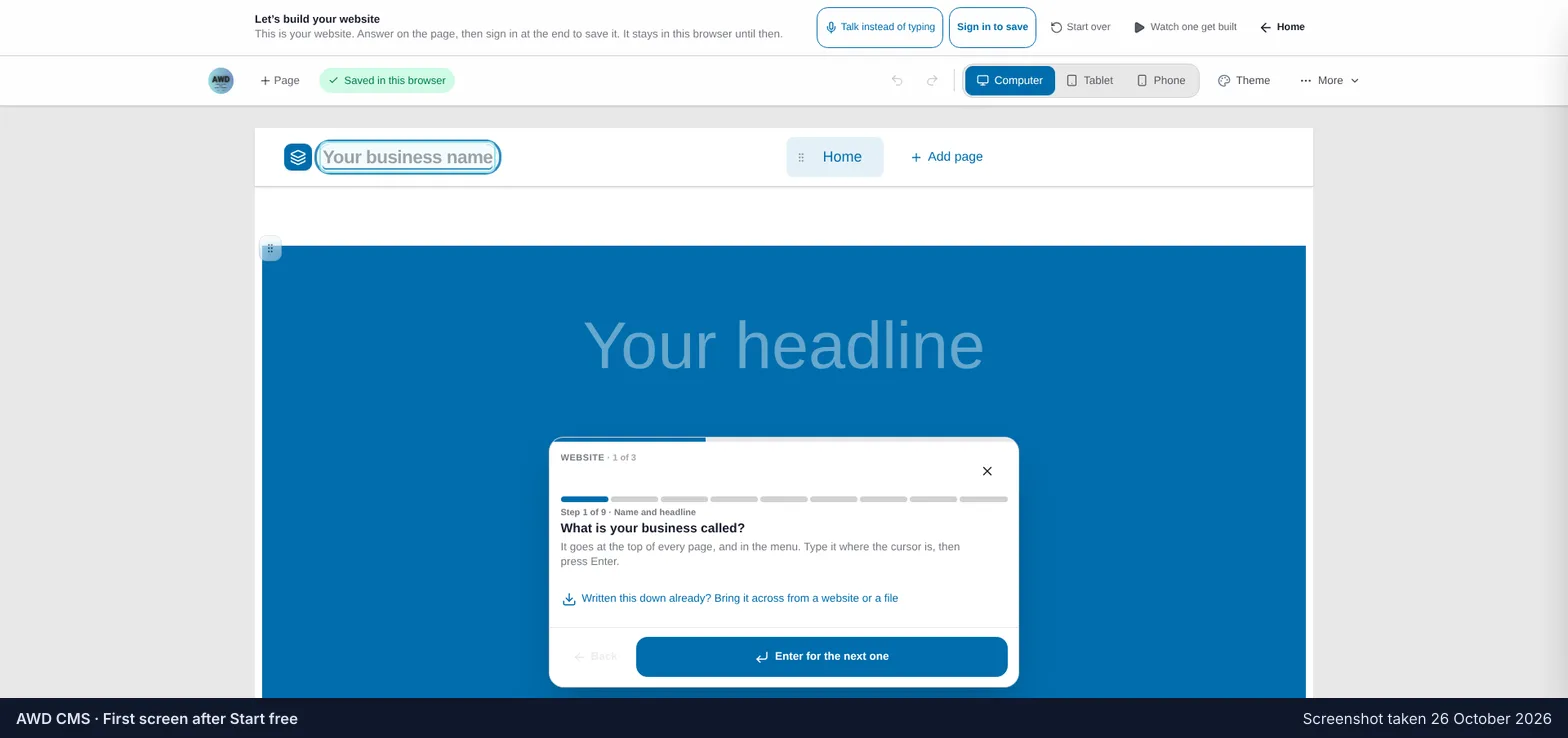
AWD CMS after pressing Start free: a blank home page in the editor, with a box over it asking, step 1 of 9, what the business is called.
AWD CMS, the first screen after Start free: your own page, and one question. Screenshot taken 26 October 2026.
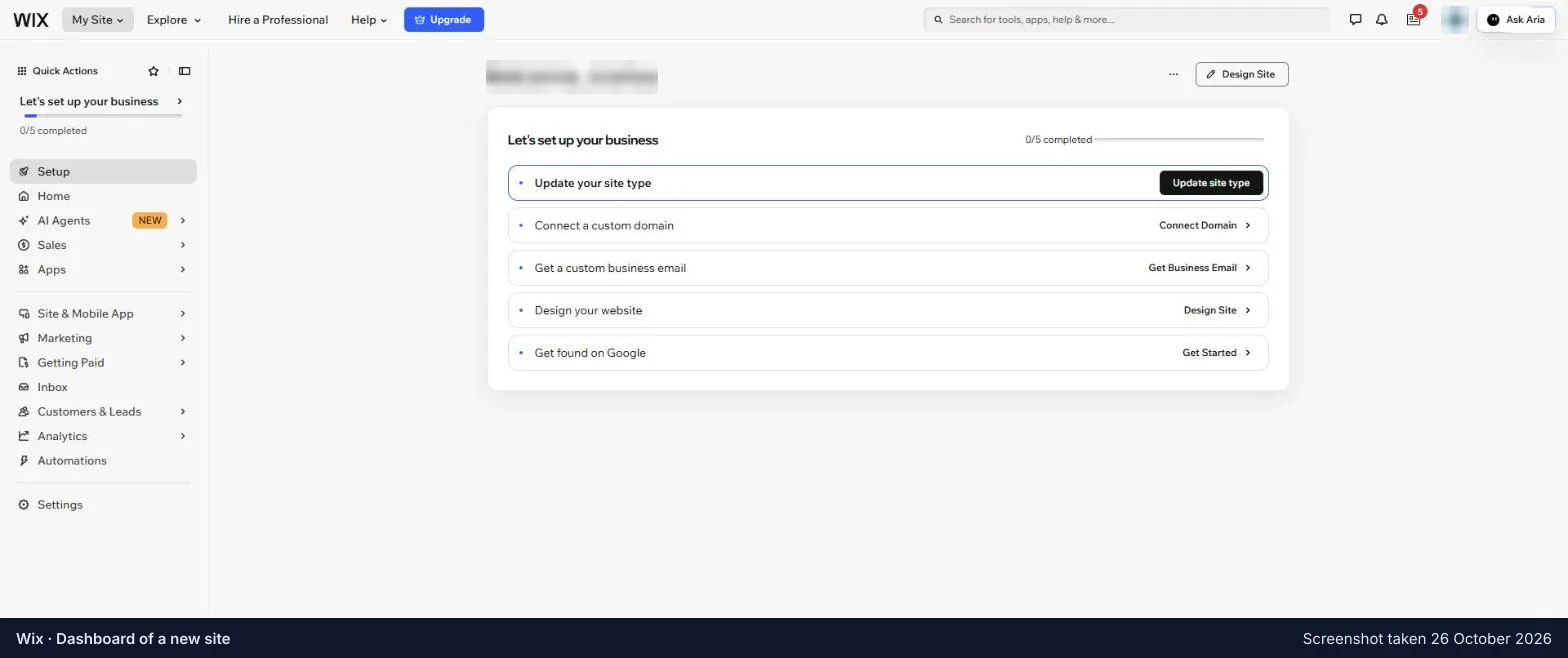
Wix’s dashboard for a new site: a welcome, a list of five tasks to set up the business, and a menu of thirteen sections down the left.
Wix, the dashboard of a new site: a set-up list, and thirteen sections in the menu. The site itself is behind Design Site. Account name blurred; a sale banner cropped off. Screenshot taken 26 October 2026.
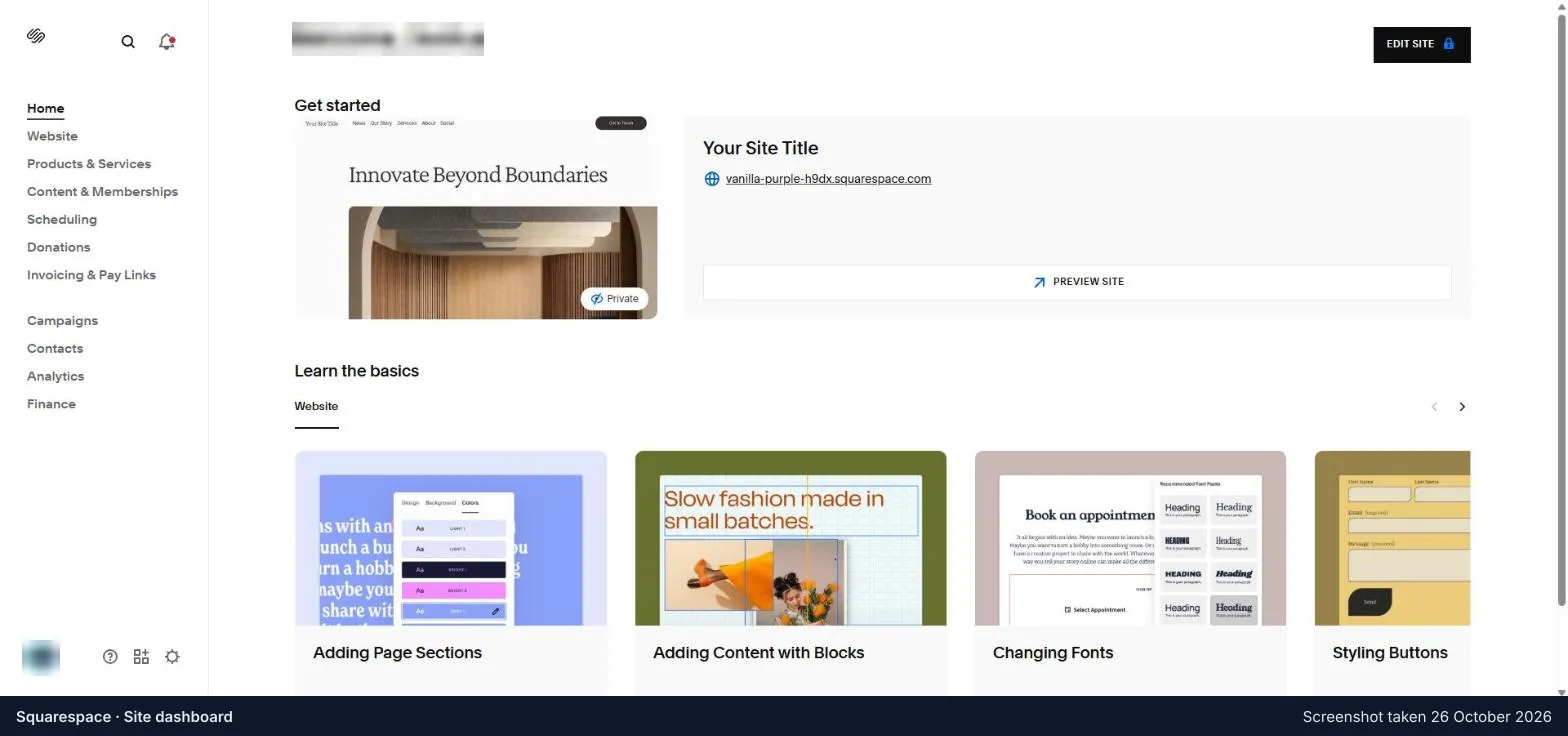
Squarespace’s site dashboard: a menu of eleven sections down the left, a preview of the site, and tutorial videos on how to edit.
Squarespace, the site’s dashboard: eleven sections in the menu, and videos on how to edit. Account name blurred; a trial-ended bar cropped off. Screenshot taken 26 October 2026.
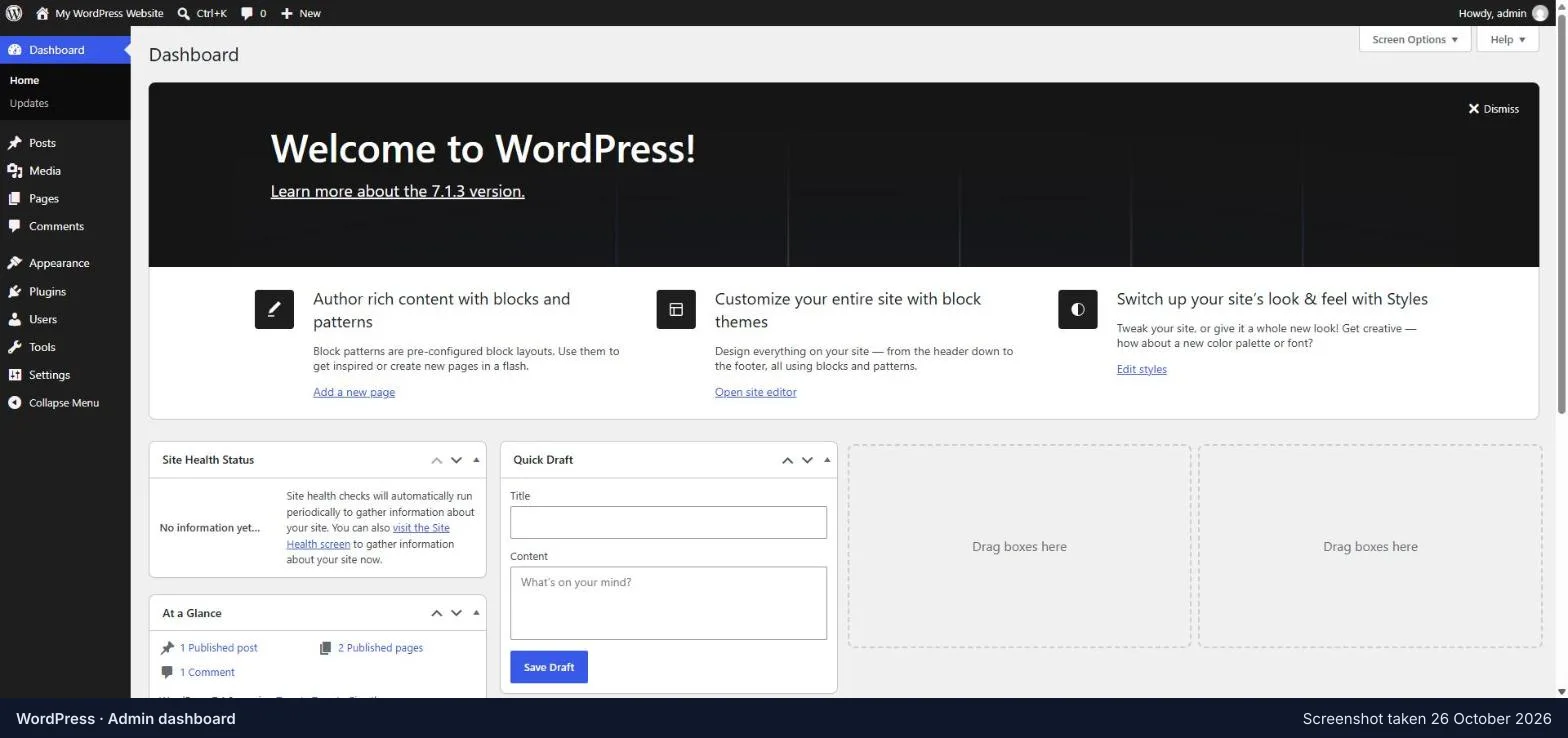
The WordPress admin dashboard: ten menus down the left, a welcome panel, and boxes for site health, a quick draft and a summary of the site.
WordPress, the admin area it opens on: ten menus, and boxes of news and drafts. Taken in WordPress Playground. Screenshot taken 26 October 2026.
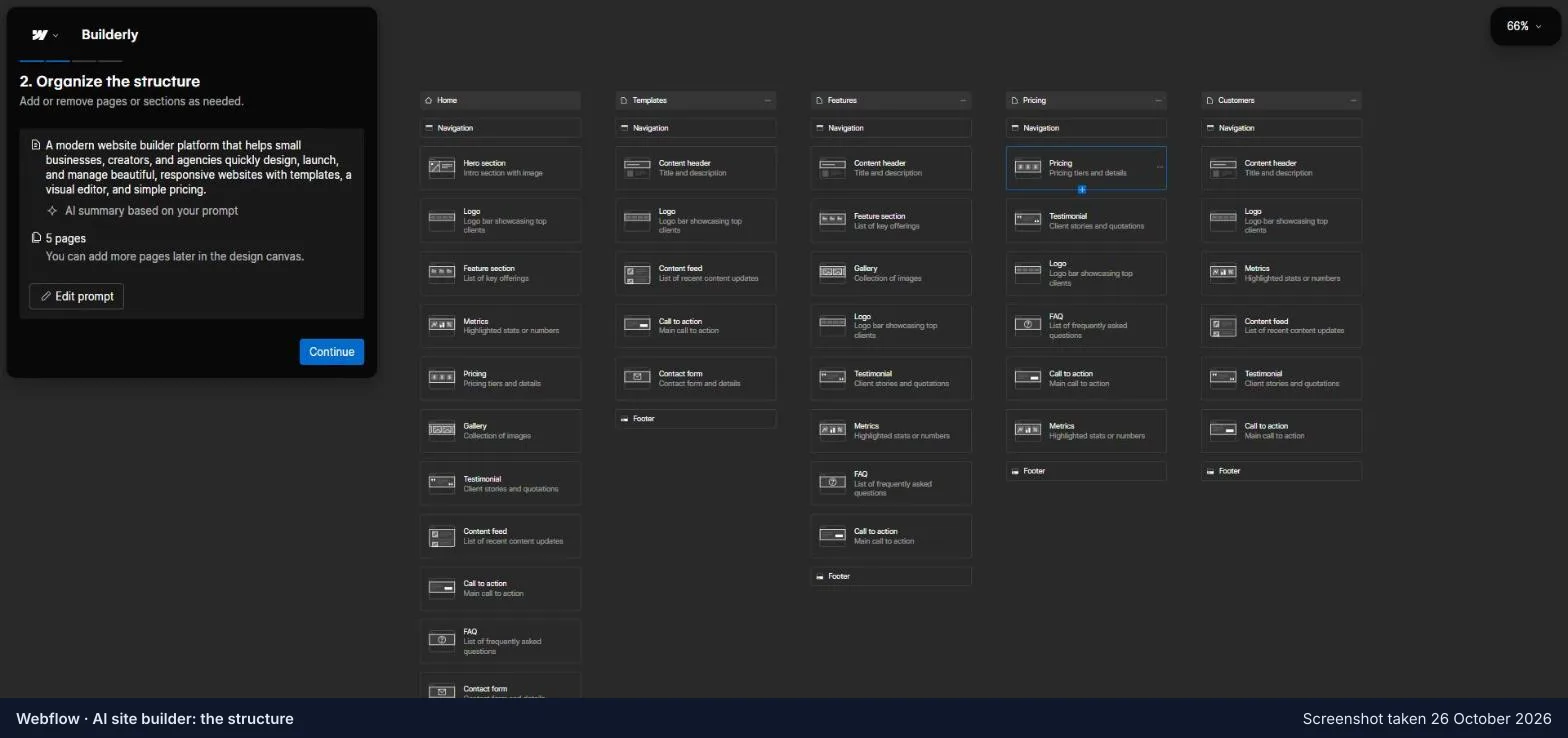
Webflow’s AI site builder at step 2, Organize the structure: five pages side by side, each a column of section cards to keep or remove.
Webflow’s AI site builder: five pages and over forty sections to look through before the Designer opens. Screenshot taken 26 October 2026.

Each comparison

This list keeps itself: every comparison appears here the moment it is published.